01 / 06 · Desktop profiles
A profile for every desktop.
All icons, no icons or just your selection: each virtual desktop remembers its own state. Switching desktops automatically applies the matching profile.
Desktop names in this tour are examples.
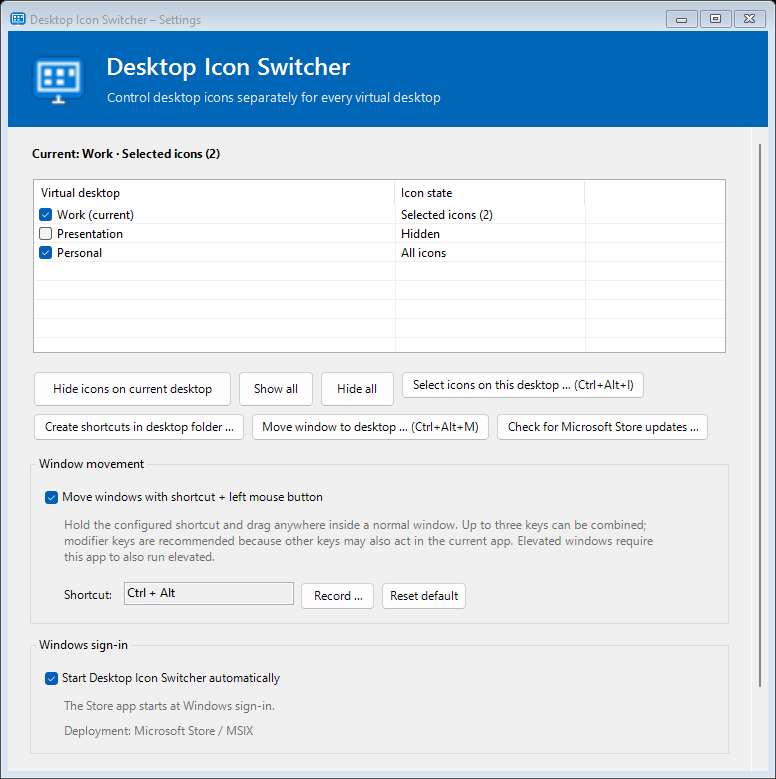
Your virtual Windows desktops
Work, presentations or personal projects: choose which icons stay visible on each virtual desktop. Move open windows where you need them.
Explore. Try. Understand.
Six steps through the new features. Try the icon selection right here.
01 / 06 · Desktop profiles
All icons, no icons or just your selection: each virtual desktop remembers its own state. Switching desktops automatically applies the matching profile.
Desktop names in this tour are examples.
02 / 06 · Select icons
Start selection with Ctrl + Alt + I. All icons first appear slightly transparent. Use Ctrl + click to mark individual icons; a frame shows your selection.
Click an icon to try it here. In the app, use Ctrl + click. Esc cancels selection.
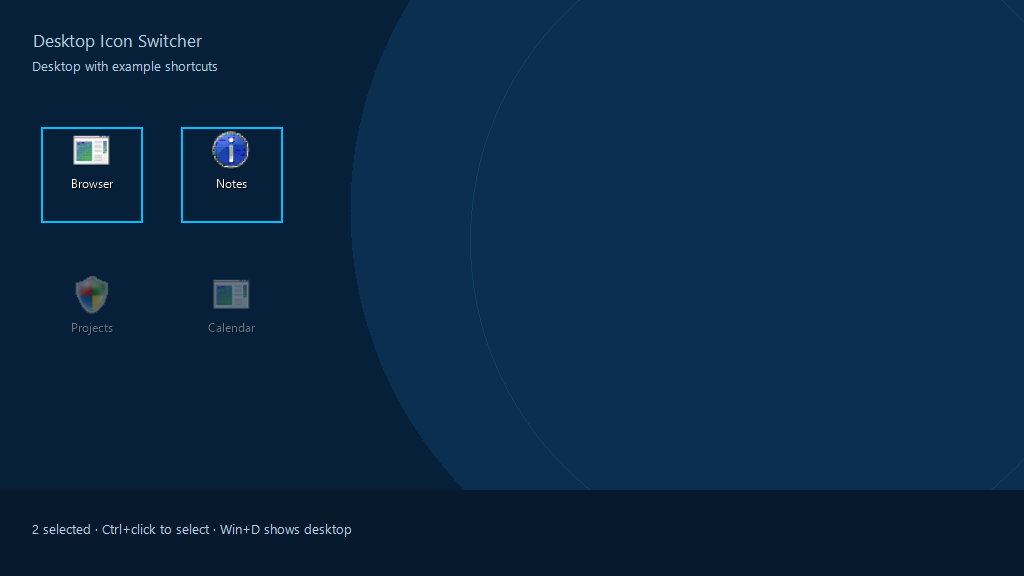
Interactive demo · Changes apply only on this website.
03 / 06 · Apply selection
Confirm with Ctrl + Alt + Enter. The same icons can independently be visible or hidden on different desktops. Newly created shortcuts can be assigned to the active desktop.
Switch sample desktops in the demo: each keeps its own icon selection.

Interactive demo · Changes apply only on this website.
04 / 06 · Move windows
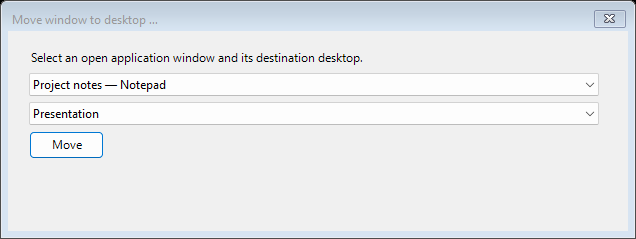
Press Ctrl + Alt + M to open the dialog. Choose a running window and a destination desktop. “Move” sends the window to that virtual desktop.
This moves running windows, rather than desktop icons.
05 / 06 · Drag windows
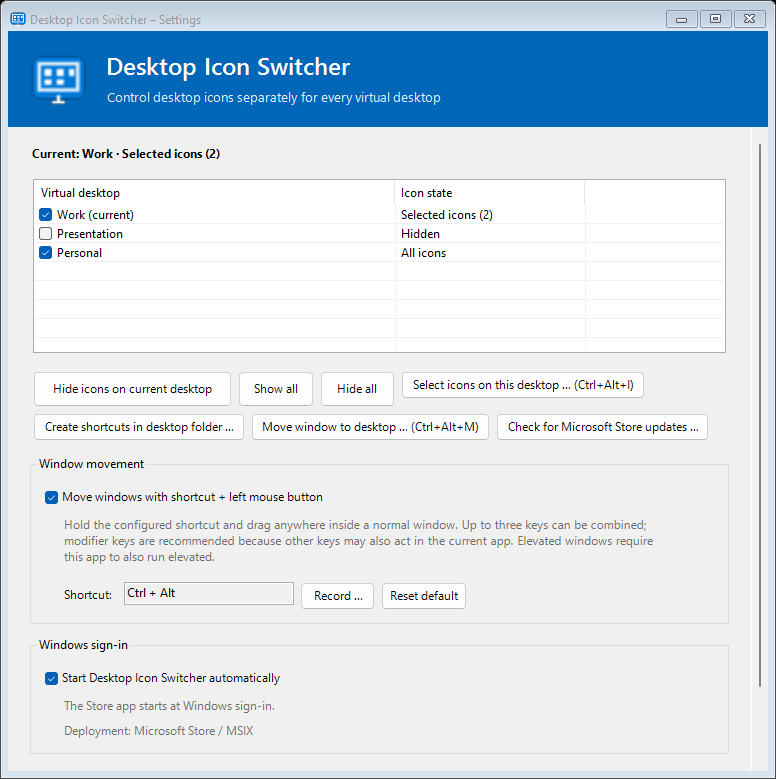
Hold your configured shortcut and drag with the left mouse button inside a normal window. Change or reset the shortcut in Settings.
Dragging a window and moving it between desktops are separate features.
06 / 06 · Store updates
Check for Microsoft Store updates in Settings. The Store version can install an available update directly. Microsoft Store updates your existing installation.
Checking and installing updates needs an internet connection. A portable installation opens the Store product page instead.
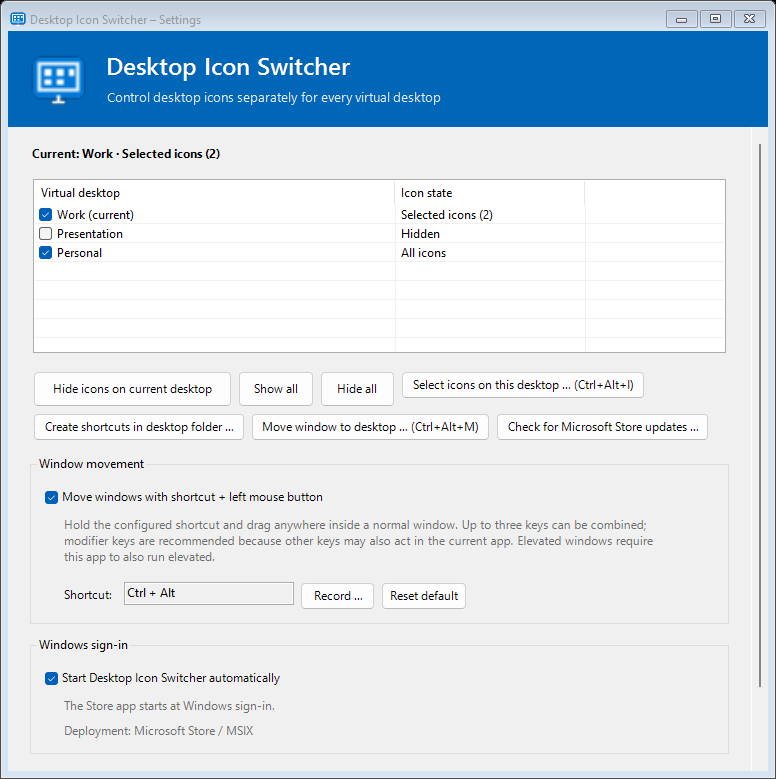
Automatically generated app screenshots with fixed sample data.
This tour shows version 1.1. The new features will be available when this version is published in Microsoft Store.
Desktop Icon Switcher
Desktop Icon Switcher manages icon visibility locally. Your files stay in place.
Show only the shortcuts that make sense on this desktop.
An icon can be visible at work and hidden during presentations.
Create shortcuts in the Desktop folder and assign them to the active desktop.
Move running windows to another virtual desktop.
A tray icon, keyboard shortcuts and a clear settings dialog.
Update your installed Store version directly through Microsoft Store.
Privacy
Icon selection and window movement work locally without an account. Settings and optional error logs stay on your device. Only the Store update check you start explicitly uses Microsoft Store.
Privacy →Selection does not move or delete files. You create shortcuts yourself; the app controls which desktops display their icons.
Yes. Each virtual desktop has an independent selection. An icon can be visible on several desktops, on one, or on none.
The app restores the normal desktop icons.
Real settings and icon rendering from version 1.1 with fixed sample data. The browser demo does not change any Windows settings.
Desktop Icon Switcher
Visit the product page in Microsoft Store or browse the help.
GitHub Sponsors
Your sponsorship supports my work on Desktop Icon Switcher.